GA4 is no longer just a reporting platform - it is steadily becoming an AI-assisted analytics environment that helps users not only access data, but interpret it more efficiently.
Features such as Analytics Advisor, AI-generated Insights, and Task Assistant are making analytics more accessible by surfacing trends automatically, answering questions in natural language, and reducing manual reporting effort.
Yet many marketers face the same challenge:
“GA4 keeps rolling out new features - and now AI too - but how do I actually use all of this in my day-to-day reporting?”
This was exactly the question we explored in Ayudante’s webinar last month.
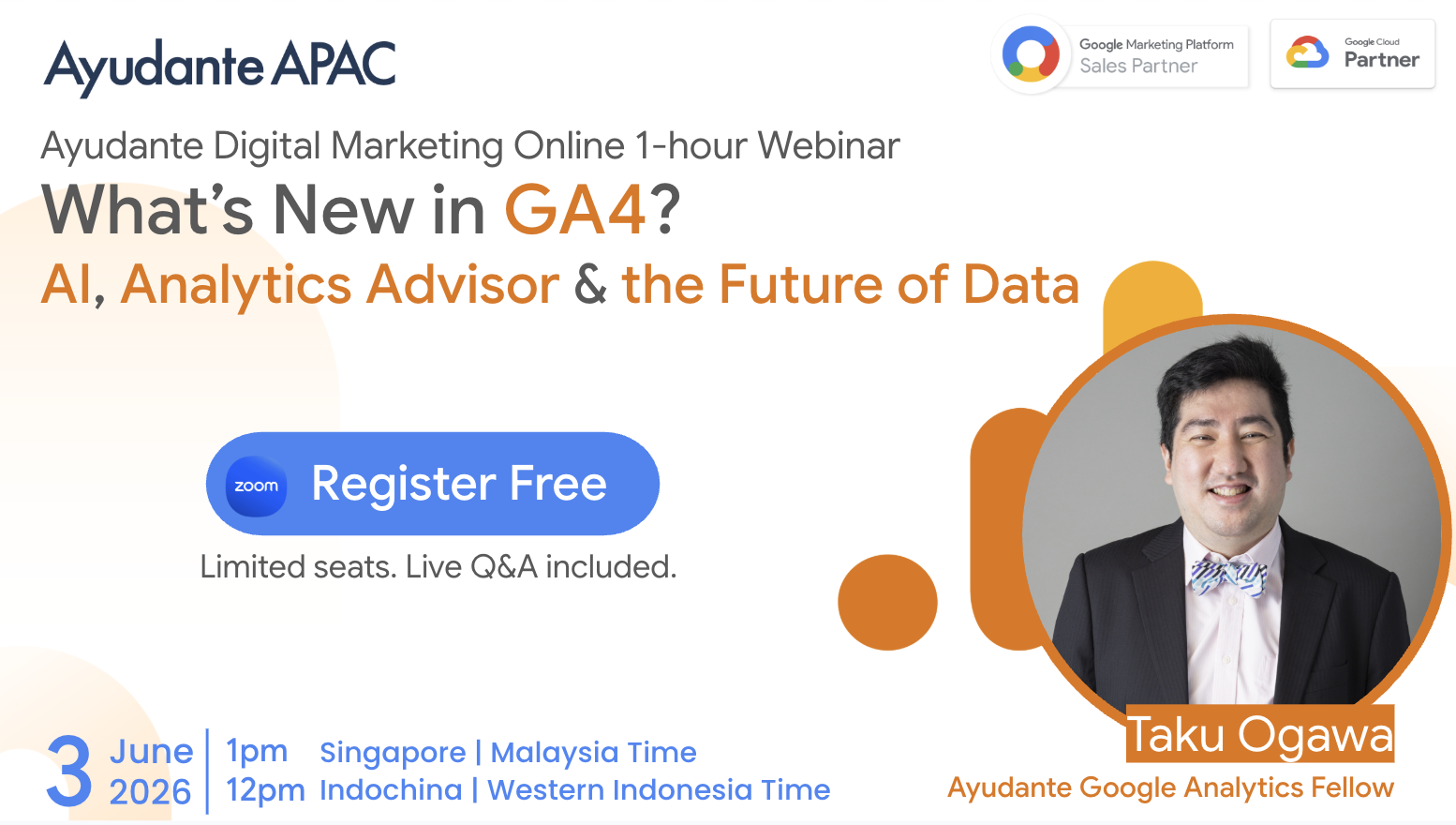
Hosted by Jasper Poon, Solutions Consultant at Ayudante, alongside Taku Ogawa, Ayudante Google Analytics Fellow and CEO of HAPPY ANALYTICS, the session explored how GA4's latest releases - and particularly its growing AI capabilities - are reshaping the way marketers analyse data and make decisions.
In this webinar, we unpacked:
The goal of this session was simple: to understand what’s new in GA4 and how AI can be used to better understand data and improve day-to-day reporting.
Google's recent releases point to a clear direction: stronger measurement combined with AI-assisted analysis. While each feature solves a different challenge, together they make GA4 a more intelligent platform for marketers.
Marketing data has long been scattered across multiple advertising platforms, making cross-channel reporting both manual and time-consuming.
With Snap & Pinterest Ads Cost Data Import and Meta & TikTok Campaign Data Import, GA4 now brings advertising spend from more platforms directly into a single reporting environment.
The result? Faster reporting, easier campaign comparisons, and a more complete view of your marketing performance.
Accurate measurement starts with quality data.
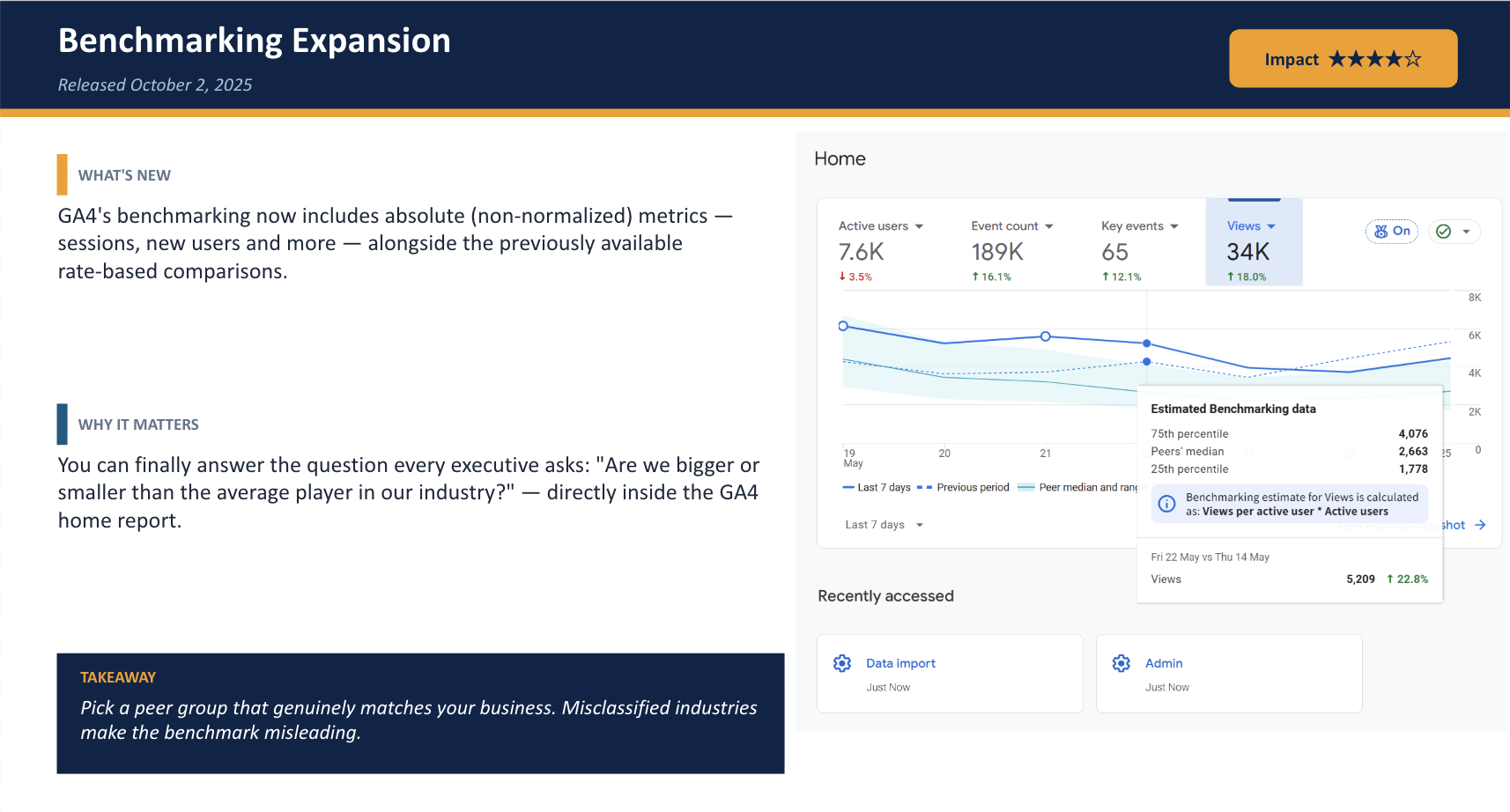
With Benchmarking Expansion, organisations can now compare key metrics against industry peers for better business context. Meanwhile, User-Provided Data (UPD) improves attribution by making better use of first-party identifiers in a privacy-first environment.
“Benchmarking Expansion helps us see the bigger picture by comparing our performance across industries, giving us richer and more actionable insights.” – Taku Ogawa
Building audiences no longer has to begin from scratch.
With Customer Lifecycle Audience Templates, GA4 provides ready-made audience segments such as High-value Purchasers and Disengaged Purchasers, allowing marketers to activate remarketing campaigns much more quickly.
AI is no longer an add-on - it's becoming part of the GA4 experience.
New capabilities include:
Analytics isn't just about measuring what happened - it's about deciding what to do next.
With Cross-Channel Budget Management and the Conversion Attribution Analysis Report, GA4 provides better visibility into media spend, attribution models, and channel performance, helping marketers make more informed investment decisions.
“The Conversion Attribution Report shows not only the traffic source that directly led to a conversion, but helps you understand the full conversion path, rather than evaluating each visit in isolation.” – Taku Ogawa
One of the newest additions is the AI Assistant traffic channel, allowing organisations to identify visitors arriving from platforms such as ChatGPT, Gemini, and Claude.
As AI-powered search and discovery continue to grow, this provides valuable visibility into an emerging acquisition channel.
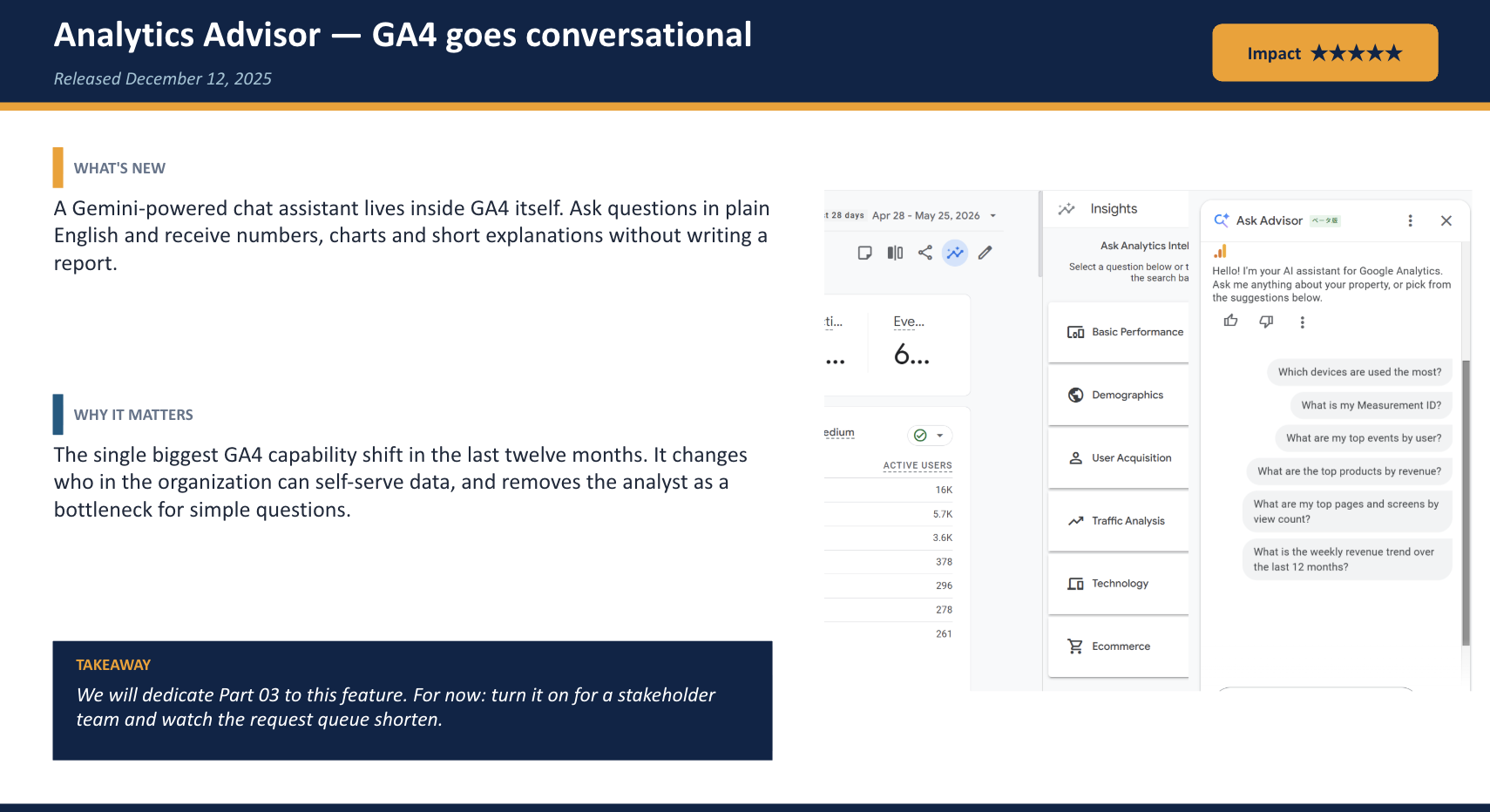
Among all the recent GA4 releases, Analytics Advisor is arguably the most significant. Powered by Gemini, it fundamentally changes how users interact with GA4 by allowing them to ask questions in plain English and instantly receive charts, metrics, explanations, and comparisons - without manually navigating reports.
It performs particularly well for everyday reporting tasks, including:
“Instead of spending hours navigating Google Analytics, Analytics Advisor highlights the key insights and tells us what and where to focus.” – Taku Ogawa
Below are a few examples of how Analytics Advisor answers common reporting questions in a conversational format.
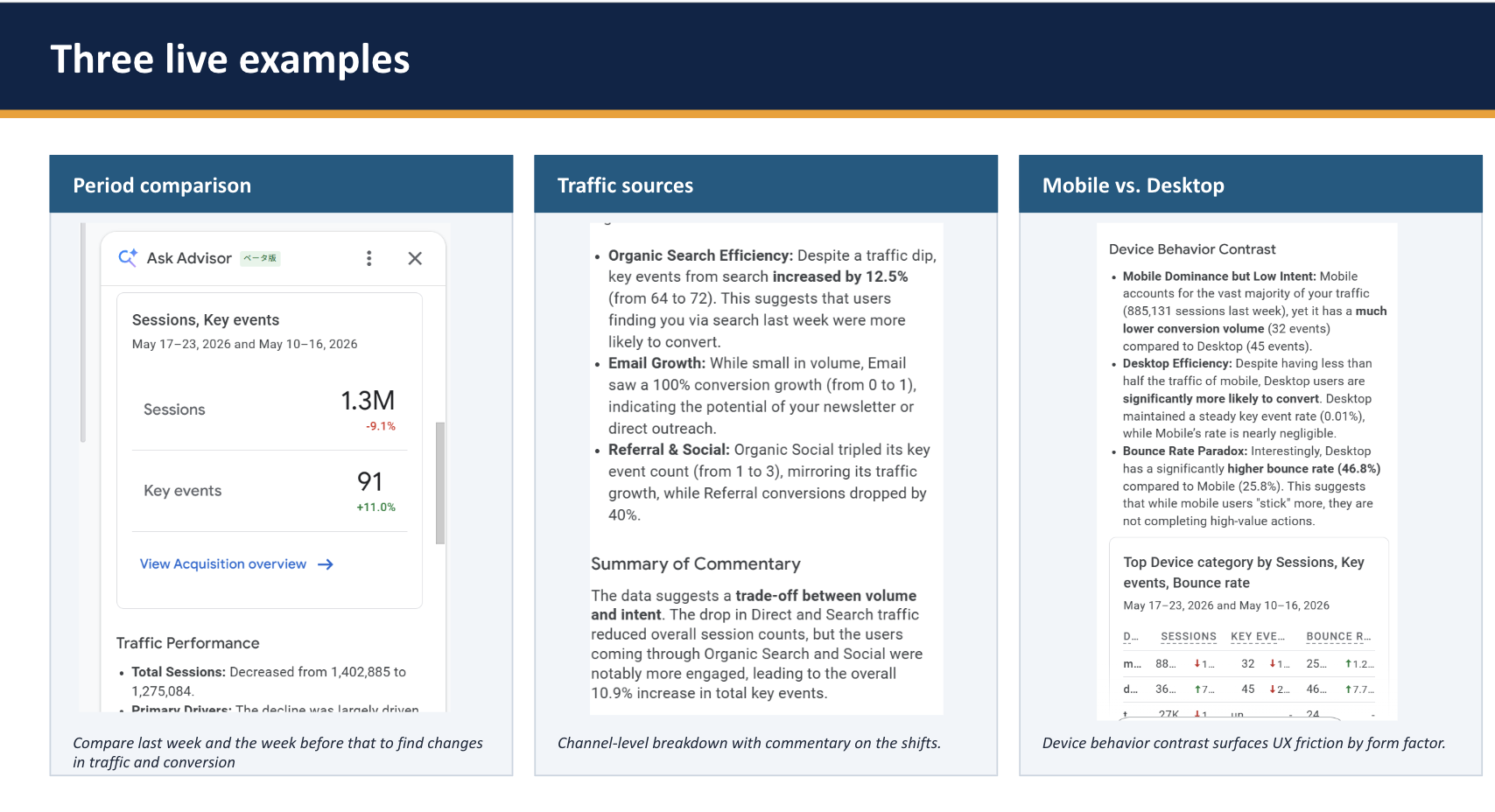
Like any AI tool, Analytics Advisor has limitations.
It performs well for routine reporting and data exploration but is less effective for:
For important business decisions, findings should still be validated using GA4 Explorations.
AI helps users reach answers faster, but human judgement remains essential for validating findings, understanding business context, and deciding what actions to take.
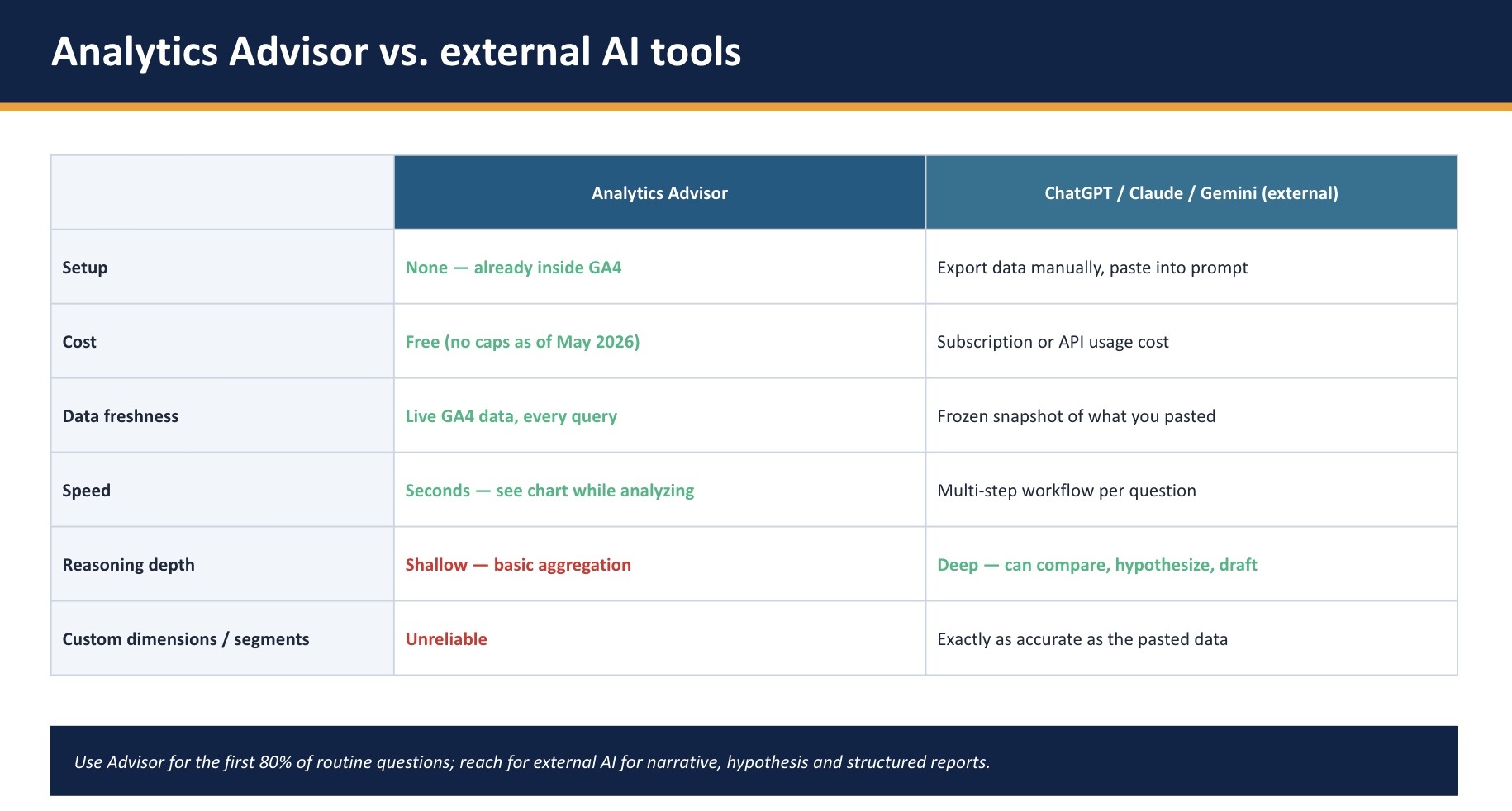
Analytics Advisor is designed to complement - not replace - external AI tools.
Its greatest strength is direct access to live GA4 data, enabling users to retrieve metrics and visualisations without leaving the platform.
External AI tools such as ChatGPT, Gemini, and Claude remain better suited for report writing, strategic planning, brainstorming, and communicating insights to stakeholders.
The most effective analytics workflow combines both: Analytics Advisor retrieves trusted data quickly, while external AI tools help transform those insights into business recommendations.
To maximise the value of Analytics Advisor, Taku shared five practical recommendations:
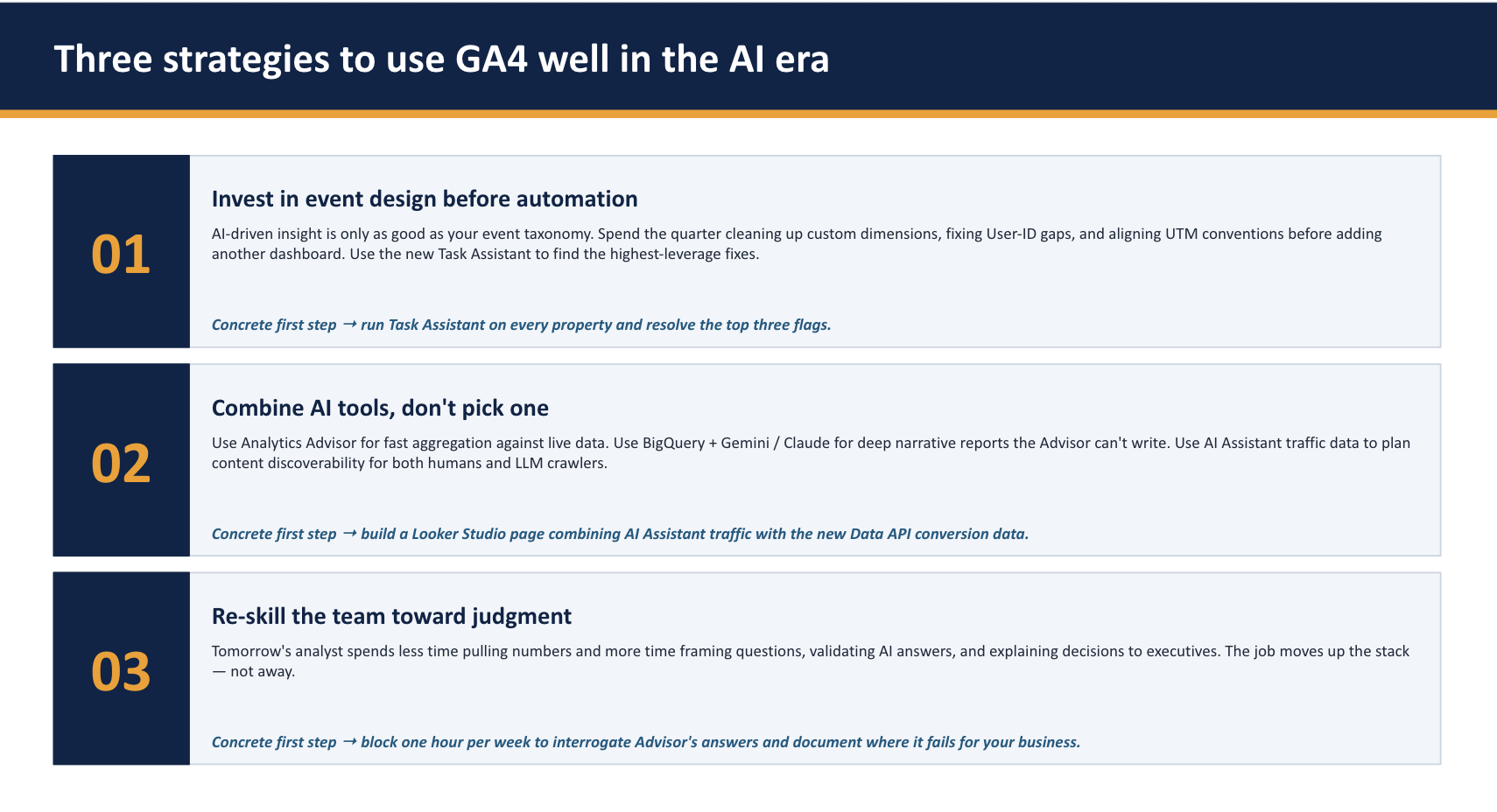
The webinar concluded by shifting the discussion beyond features and towards the future role of analysts.
As AI becomes increasingly embedded within analytics platforms, the value of analysts is changing - not disappearing.
AI can retrieve information, summarise trends, and automate routine reporting, but organisations still need people to:
AI is only as effective as the data behind it. Strong event tracking, consistent campaign tagging, and clearly defined business objectives remain the foundation of trustworthy analytics.
The audience raised several practical questions about implementing AI within GA4.
Q: Does GA4's new AI capabilities affect how it collects data and how accurate it tracks data?
Taku: AI does not directly change data collection. Instead, it recommends additional tracking opportunities and implementation improvements that help organisations capture more useful data for analysis.
Q:How accurate are the AI Features in interpreting GA4 data? Does it make up data like the old ChatGPT?
Taku: Analytics Advisor analyses only the data available within GA4. Its accuracy depends on the quality of your implementation, and users can request supporting sources for greater transparency.
Q: What are the biggest mistakes companies make when implementing GA4 from a business strategy perspective?
Taku: One of the biggest mistakes is relying solely on GA4's automatically collected metrics instead of defining a measurement strategy.
Businesses should identify the custom events and user interactions that matter most - such as FAQ clicks, product favourites - to better understand customer intent and support more informed business decisions.
Reflecting on the webinar, the biggest takeaway wasn't how quickly GA4 is evolving, but how the role of the analyst is evolving alongside it.
Features like Analytics Advisor, AI-generated Insights, and Task Assistant are making analytics more accessible by surfacing trends, answering questions faster, and reducing manual reporting. Strong event tracking, reliable measurement, and a clear understanding of business objectives remain essential human responsibilities. Without these foundations, even the most advanced AI can deliver only limited insights.
As GA4 continues to evolve, the organisations that will benefit most are those that combine AI-powered analysis with strong measurement foundations. AI can accelerate analysis, but reliable event tracking, high-quality first-party data, and clearly defined business objectives remain the ingredients that turn data into meaningful business decisions.
If you're looking to strengthen your GA4 implementation or explore how AI can enhance your analytics, the Ayudante team would be happy to help. Contact us at info@ayudante.asia