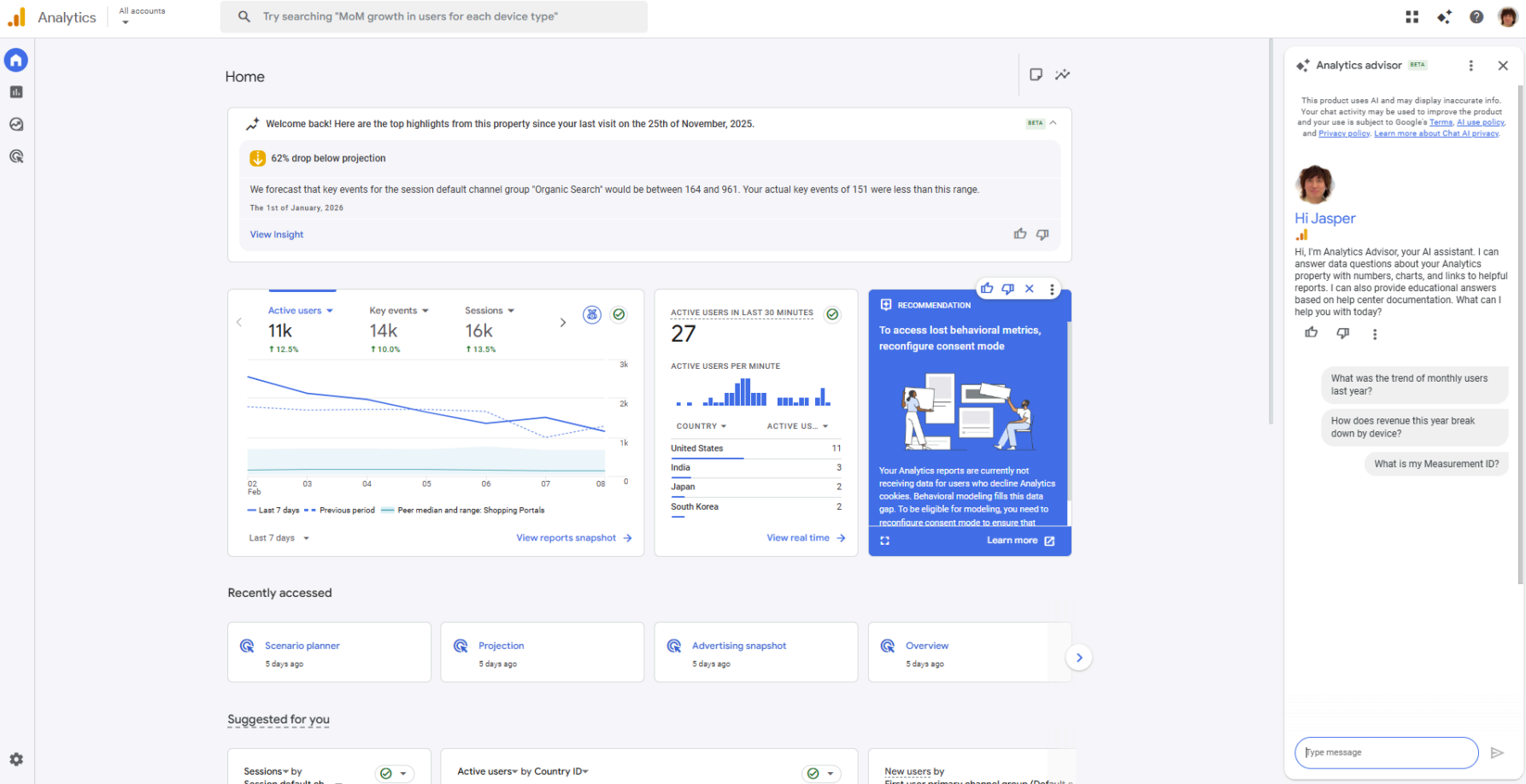
The Analytics Advisor (beta), first released around November 2025, was initially available only for GA4 properties with English selected as the interface language.
Without surprise, Analytics Advisor is powered by the latest Gemini model. Even users who are not familiar with GA4 can use this conversational chatbot to ask for insights such as “Why has traffic decreased compared to last month?” or “How do I operate and configure reports?”
In this article, we will explain how to use Analytics Advisor and what types of insights it can provide.
How to Use Analytics Advisor
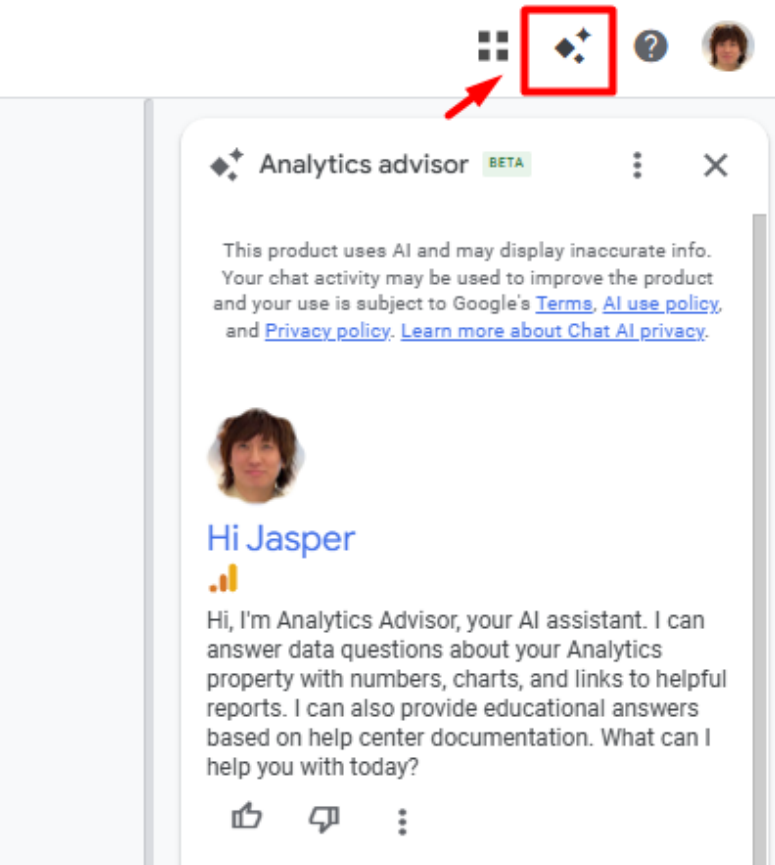
You can access Analytics Advisor by clicking the Analytics Advisor icon in the GA4 header. Once clicked, a chat box will appear. Analytics Advisor can be used for the following types of questions or prompts .
General questions about data
Fully specified questions
Questions about reasons
How-to questions
Understanding property configuration
Optimisation
Starting with your first question
Of course, you may use your own corporate GA4 property, but this time, for demonstration purposes, I used the GA4 Demo Account.
If you do not have access to a GA4 property, feel free to try the official GA4 demo account.
(Help Page: GA4 Demo Account - Google Merch Shop)
At first, I provided some background context and asked multiple questions in a single prompt.
Question
I am a beginner and have never used GA4 before. To increase site traffic and revenue, which GA4 reports should I look at first? Also, what should I pay attention to when reviewing those reports?
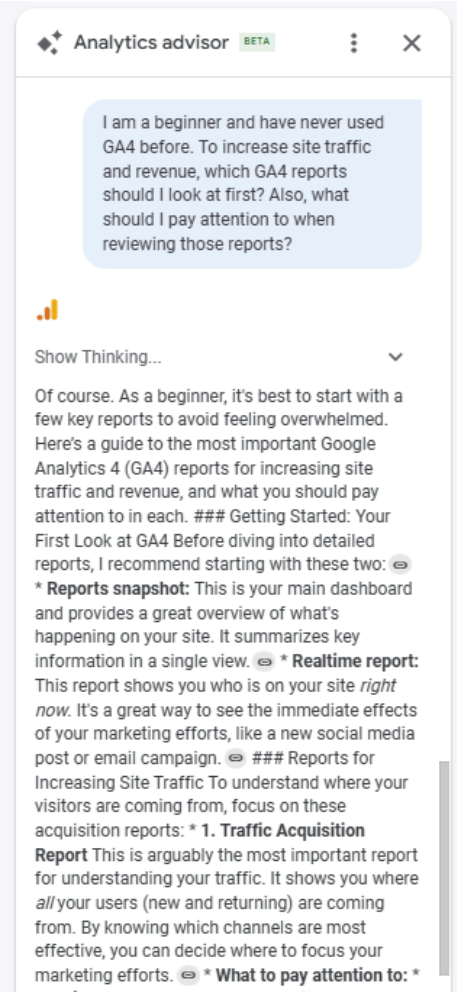
As the engine is powered by Gemini, some technical limitations remain. It may be suitable for the Gemini UI, but it may look a bit awkward in the Analytics Advisor UI. For example, responses can be overly long, without clear paragraph breaks. In addition, links included in responses often lead to general help pages rather than property-specific guidance.
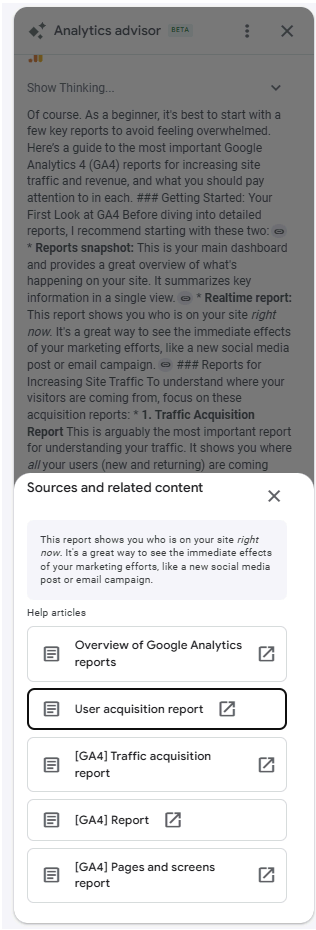
Therefore, to use the reports more effectively, instead of asking many separate questions in one go, we should approach Analytics Advisor in the same way we use Gemini or other AI chatbots: start with broad questions, then gradually drill down into more specific ones through follow-up questions.
Below are some examples of follow-up question frameworks
1. Channel Performance → Quality → Action
You may start by asking “Which channels bring in the most visitors?”
Follow-ups:
Deeper drill-down:
2. User Quality & Behaviour
Or, after asking “Which channels bring high-quality visitors?
Follow-ups:
Deeper drill-down:
3. Conversion Funnel Exploration
Or, after asking “Which channels drive conversions?”
Follow-ups:
Deeper drill-down:
4. Product Performance Analysis
Or, after asking “Which products generate the most revenue?”
Follow-ups:
Deeper drill-down:
5. Time-Based & Trend Analysis
Finally, after asking “How is my website performing?”,
Follow-ups:
Deeper drill-down:
My Demo
You may find my conversation with the Analytics Advisor below:
Step 1: Start with broad, generic questions

Step 2: Narrow down the questions to identify specific patterns
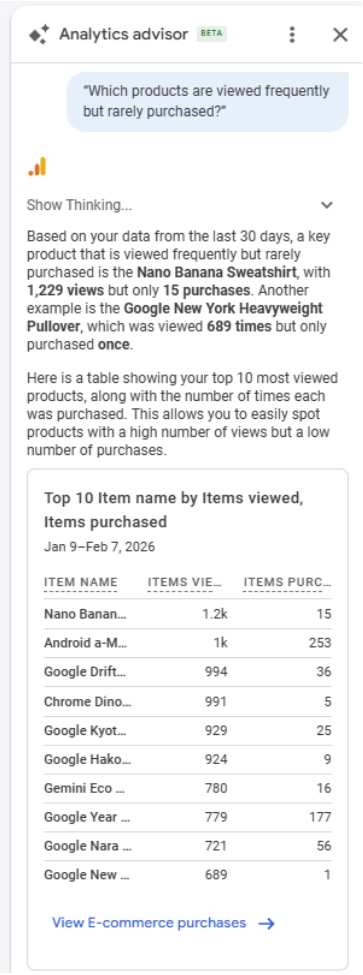
Step 3: Ask for insights based on the refined context
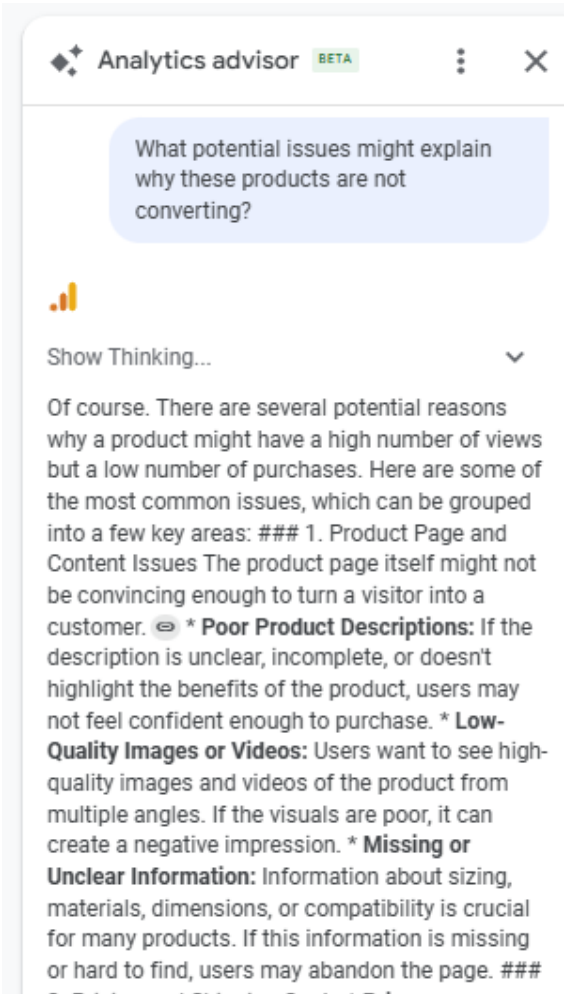
Two Tips for Using Analytics Advisor
1. Be clear, and don’t expect the best answer in one question
The Analytics Advisor is only as good as the instructions you give it. Try not to expect a perfect answer from a single question.
Unlike the standard Gemini chatbot, Analytics Advisor has direct access to your GA4 data. Despite of this, it does not always give instant, fully formed insights. When you gradually narrow down your questions and add more context, the Advisor is also learning about your business and your objective.
As the conversation develops, and once the Advisor understands why you are asking the question, it can interpret your GA4 data more accurately and provide more relevant answers. In short, treat it as a conversation, not a one-off query.
2. The quality of insights depends on the quality of your data
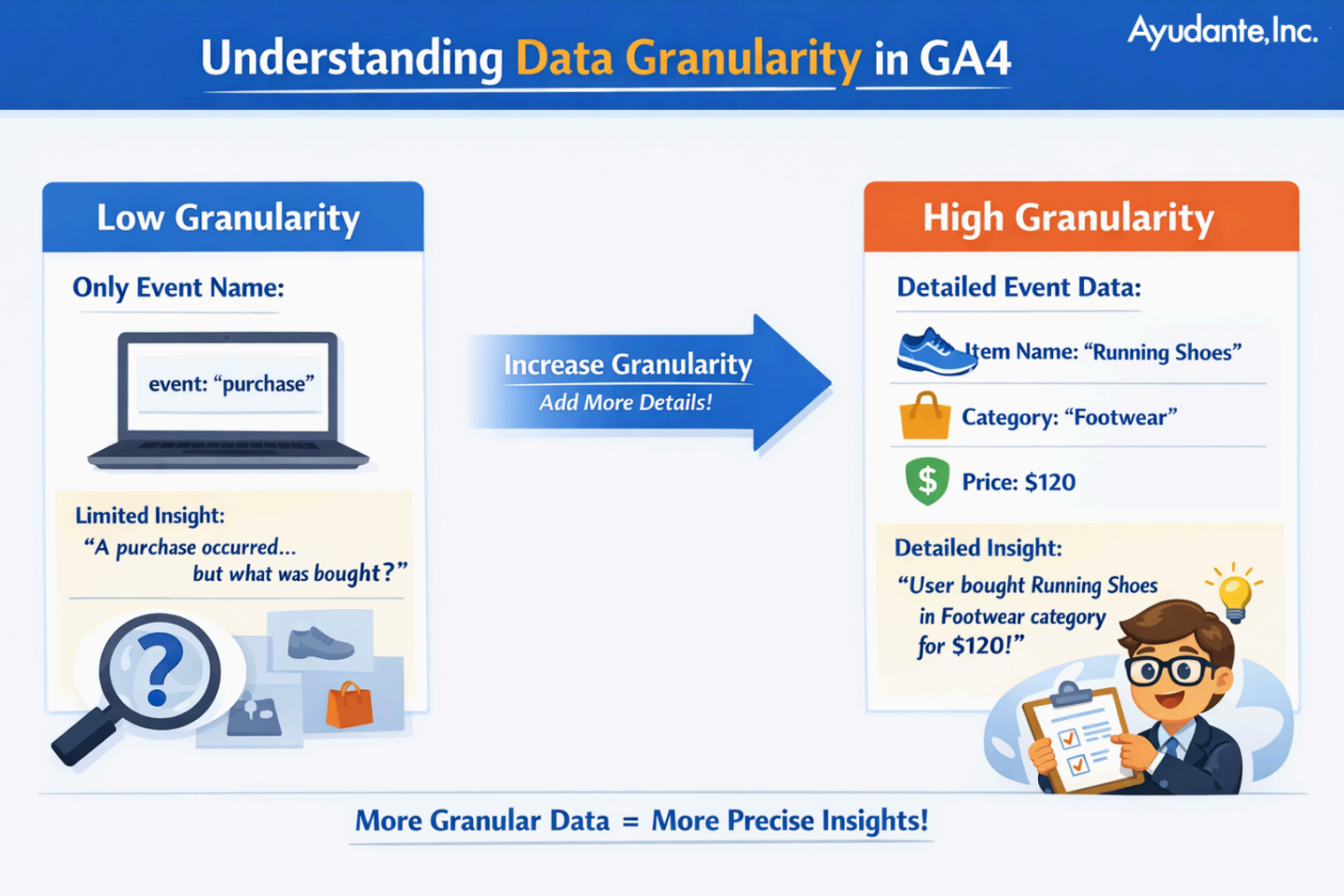
Although Analytics Advisor can read your data, the level of insight it provides depends heavily on data granularity.
For example, having only an event name is often not enough. When you include additional information such as item name, category, or price, the Advisor can give more precise and meaningful insights, instead of making assumptions that may not reflect reality.
The same applies to advertising campaign data. By importing campaign data not only from the Google ecosystem, but also from non-Google platforms such as Meta and TikTok, you give Analytics Advisor a broader view of your marketing performance. This allows it to analyse results from different perspectives and support its recommendations with more complete data.
My View on AI Chatbots (not only in Analytics Advisor)
Since the release of Analytics Advisor, I have also encouraged my clients to try using this tool. Some of them have pointed out bugs or areas that still need improvement. This is completely normal.
From my own experience, there are times when the Advisor does not interpret questions as expected. In many cases, additional context or follow-up questions are needed for the Advisor to properly understand the business situation.
However, this is not very different from human communication. When the outcome is not what we expect, it is often because the context has not been explained clearly enough, which increases the chance of misunderstanding.
It is also worth remembering that this tool has only been available for a few months. If we lookback at ChatGPT 3.5 in 2023, or the early versions of Gemini, they were far from complete products. Yet within just one year, they improved rapidly, and many of the early issues were addressed.
Today, in an age of information overload, we often have unrealistically high expectations of AI. But in reality, AI is only as good as how we use it, and how much time we are willing to invest in learning and refining our approach. Patience and good questions are still key.
The original article in Japanese was written by Kazutsugu Takada, Senior Customer Success Consultant on Ayudante’s GMP team. Based on his work, I have added my own insights and observations.
Original Article (in Japanese): https://ayudante.jp/column/2025-12-19/13-00/